
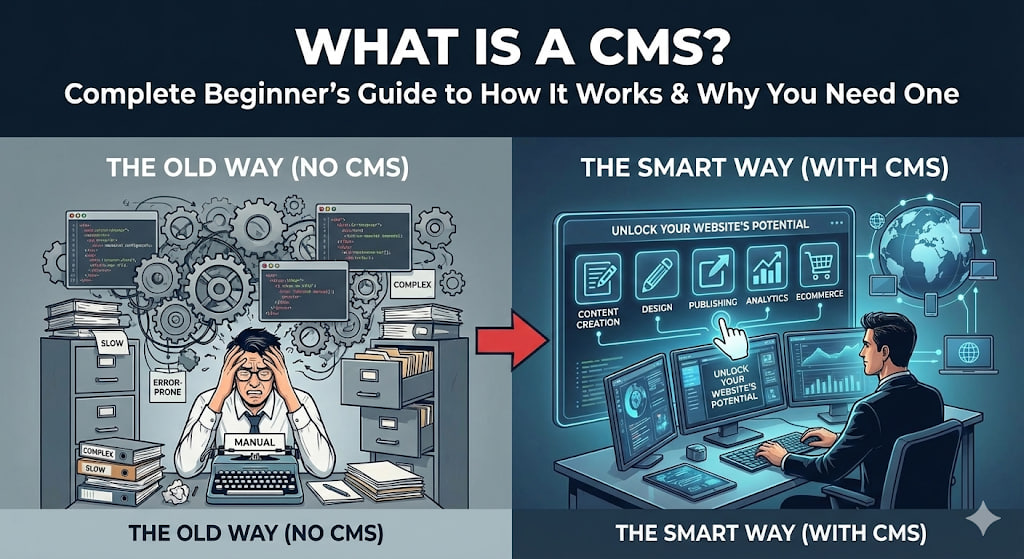
What Is a CMS? Complete Beginner’s Guide to How It Works & Why You Need One
In today’s digital world, having a website is no longer optional—it’s essential. But building and managing a website can seem complicated, especially if you don’t know how to code. That’s where a CMS, or Content Management System, comes in.
In this guide, we’ll explain what a CMS is, how it works, and why it’s crucial for anyone looking to build a website, run a blog, or grow an online business.
1. What Is a CMS?
A CMS (Content Management System) is a software platform that allows you to create, edit, and manage digital content on a website without needing to write code.
Think of it like a control panel for your website. Instead of manually creating HTML pages, you can use a CMS to:
Add blog posts
Upload images or videos
Update text on pages
Manage user roles and permissions
Organize content efficiently
In simple words, a CMS makes website management easy and accessible for anyone, regardless of technical skills.
2. How Does a CMS Work?
A CMS works by separating content from design and functionality. This allows you to make updates without touching the underlying code.
Here’s a breakdown:
2.1 Backend (Admin Panel)
This is where you create and manage your content. You can:
Write blog posts
Upload images and videos
Edit pages
Add or remove features
The backend is like the engine of your website, invisible to visitors but crucial for running everything smoothly.
2.2 Frontend (Website Display)
The frontend is what your visitors see. The CMS takes the content you create in the backend and displays it neatly on your website.
For example, when you publish a blog post in WordPress, the CMS automatically formats it for your readers without you touching the code.
3. Key Features of a CMS
A good CMS comes with features that make content management simple and effective. Some of the most important features include:
User-friendly interface – Drag-and-drop editors and simple dashboards
Templates and themes – Pre-designed layouts for websites and blogs
Plugins and extensions – Add extra functionality like SEO tools or contact forms
Content scheduling – Plan and schedule posts for future publication
SEO tools – Optimize your website for search engines
Security management – Protect your website from hackers
These features allow both beginners and professionals to manage websites efficiently.
4. Types of CMS
Not all CMS platforms are the same. Here are the main types:
4.1 Open-Source CMS
These are free to use and can be customized by developers. Popular examples:
WordPress – The most popular CMS globally, perfect for blogs and websites
Joomla – Flexible and suitable for complex websites
Drupal – Great for large-scale and enterprise websites
4.2 Proprietary CMS
These are paid platforms with built-in features and support. Examples:
Squarespace – Easy drag-and-drop website builder
Wix – Beginner-friendly and visual editor
Shopify – Best for e-commerce stores
4.3 Headless CMS
A modern approach where the content management is separate from how it’s displayed. Useful for apps, websites, and multiple channels. Examples: Contentful, Strapi.
5. Why Do You Need a CMS?
Here are the main reasons a CMS is essential for your website:
5.1 Easy Content Management
No coding? No problem. A CMS allows you to update content quickly without a developer.
5.2 SEO Optimization
Most CMS platforms include SEO tools to improve your website’s visibility on Google and other search engines.
5.3 Cost and Time Efficiency
Managing a website manually takes time and money. A CMS reduces development costs and speeds up content updates.
5.4 Flexibility and Scalability
Whether you want a small blog or a large online store, a CMS can grow with your business.
5.5 Multi-user Collaboration
A CMS allows multiple users to manage different sections of the website with specific roles and permissions.
6. Popular CMS Platforms to Consider
Here are some of the most widely used CMS platforms in 2025:
WordPress – Ideal for blogs, portfolios, and business websites
Shopify – Perfect for online stores
Wix – Great for beginners who want visual editing
Squarespace – Stylish templates and easy design
Drupal – Advanced customization for complex sites
7. How to Choose the Right CMS
Choosing the right CMS depends on your needs:
Blogging or content-heavy site → WordPress
E-commerce store → Shopify or WooCommerce
Simple website with drag-and-drop → Wix or Squarespace
Enterprise or complex site → Drupal
Consider budget, ease of use, scalability, and support before deciding.
8. Tips to Get the Most Out of Your CMS
Keep your CMS updated to stay secure
Use plugins wisely — don’t overload your site
Optimize for SEO using built-in tools
Back up your website regularly
Learn your CMS dashboard — it’s powerful when you know how to use it
Conclusion
A CMS is a game-changer for anyone who wants to run a website efficiently. Whether you’re a blogger, entrepreneur, or marketer, it allows you to manage content, optimize SEO, and grow your online presence without needing technical skills.
By understanding how a CMS works and choosing the right platform, you can save time, reduce costs, and focus on what really matters — creating content and reaching your audience.